I’ve lost count of how many messages I’ve received asking for mentoring, tutorials, or editing videos, so I decided to record one to show you how I use Greater Than Gatsby actions in my editing workflow. I am in no way affiliated with GTG, I just happen to love their actions.
I started this edit off in Lightroom, and did a few adjustments to exposure and white balance, and then moved on to Photoshop.
It’s really helpful if you know how to work with layers and masks before purchasing their actions so that you can tweak and customize them to your liking.
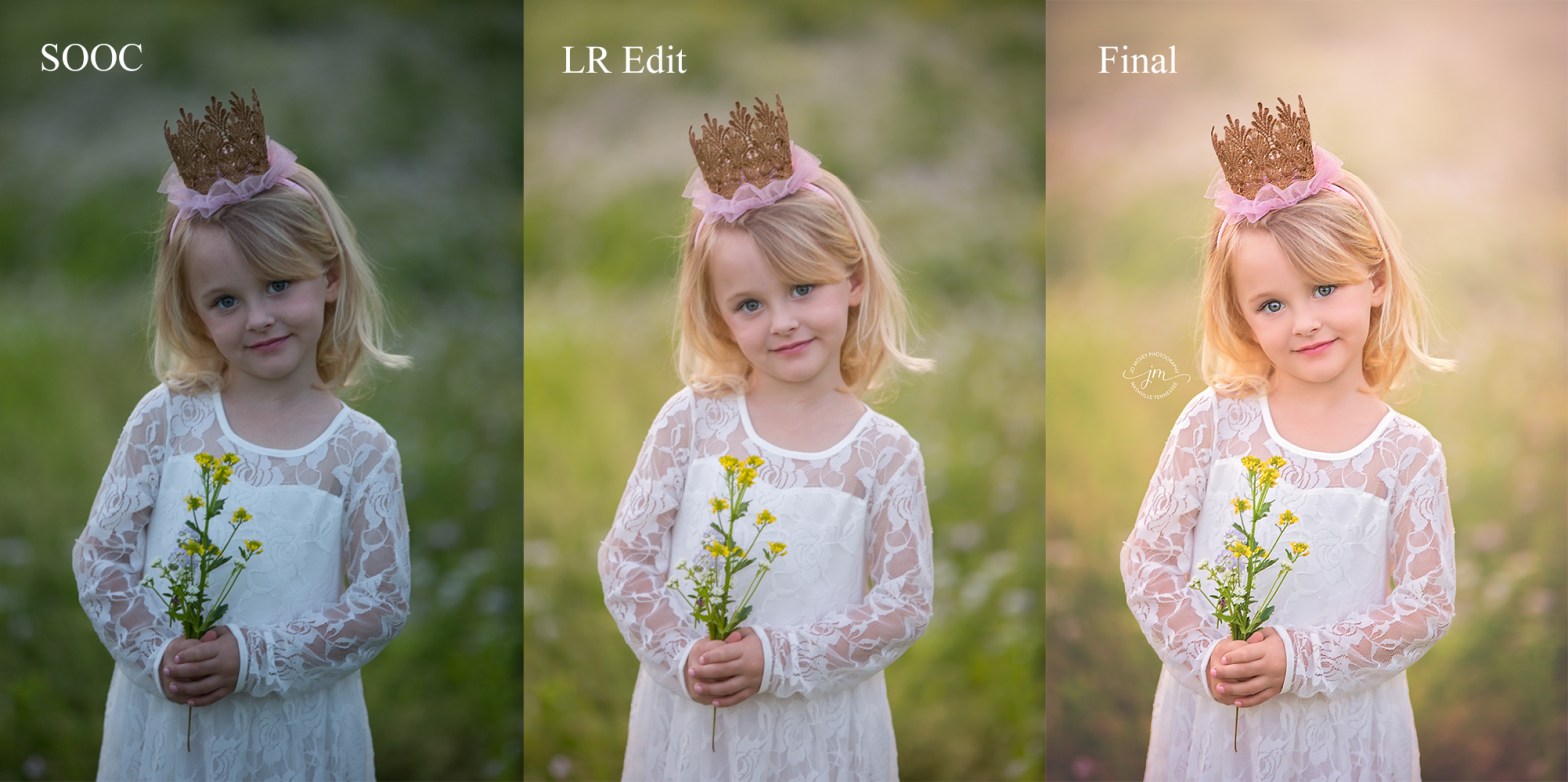
Here’s the progression of the edit you will see in this video. The straight out of camera (SOOC) image on the far left, then the adjustments I made in Lightroom, and finally finishing up with GTG actions and a little hand editing in Photoshop.

The GTG actions used in this video are from the following collections: Innocence Retouch, Innocence I and II, Newborn Essentials, and Newborn II.
Side note: I shoot with a Canon EOS 5D Mark III, and this particular photo was shot with a 70-200mm f2.8 lens. I always shoot in RAW, never JPEG. I just like having more control over my images. Settings for this photo were 1/200, f2.8, ISO 500.
I hope you like this video! Please let me know if you have any questions.
Also, I’d love it if you’d like my Facebook page: Jo McVey Photography
Or follow me on Instagram: jomcveyphotography
And, if you’re a child and family professional photographer, please join us over in my Facebook group The Art of Child and Family Portraiture.
 McVeycations
Bravo! I own most of the GTG collection but haven’t used much but now I’m stoked!! Thanks for this tutorial and the additional training (Freq. Sep. and the gray layer for eye enhancements), awesome job!
LikeLike
I’m so glad my video helped you! Thanks for the feedback!
LikeLike
This was amazing and so helpful. I’ve really been struggling with learning how to edit in photoshop and o love how you break it down so simply. Thank you!
LikeLike
Thank you so much! I’m so glad I was able to help!
LikeLike